 MS
MS EN
ENNo matter which DK88 page you’re on, the sign-in link stays fixed to the same spot — top of the screen on desktop, tucked into the menu on mobile — so getting back in is quick. Covered here: the standard username/password route, signing in with Google, Android’s biometric shortcut, resetting a forgotten password, and the usual snags that block a login. Once you’re in, phone and desktop pull from the identical account — cashier, live tables, lobby, all of it.
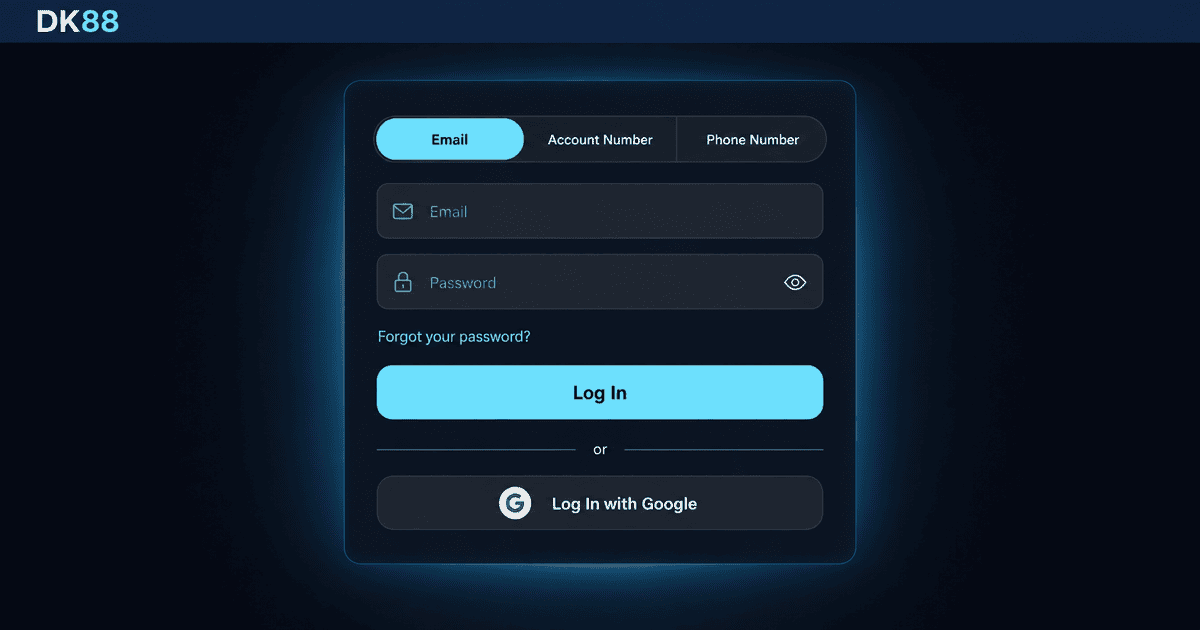
How to Log In to DK88
Every DK88 login starts from the “Login” button in the top-right corner on desktop, or the burger menu on mobile. Tap it, enter your Username and Password, and press Log In — the whole DK88 log in flow takes seconds when your details are correct. If you registered through Google originally, tap the Google option instead of typing credentials and confirm your Google account to complete the sign-in.
Straight after your first successful DK88 access account setup, we ask you to complete a quick one-time profile step — legal first and last name, date of birth, city, and a secret question with its answer. This step unlocks withdrawals later, and once done you never see the profile prompt again. Your session then stays live until you log out or the inactivity timer closes it for security.
Login Methods
DK88 member login runs through supported paths, all linked to the same underlying account so you can switch between them without losing progress, balance, or bonuses.
| Method | What you need | Speed | Best for |
|---|---|---|---|
| Username + Password | Sign-up credentials | Instant | Everyday desktop use |
| Google account | Linked Google login | One tap | Fast device switching |
| Biometric (app only) | Fingerprint or face unlock | Instant | Daily mobile access |
Inside the DK88 app on Android, a third option becomes available after your first sign-in: fingerprint or face unlock, depending on what your device supports. Common login preferences:
- Standard Username + Password: most flexible, works everywhere including public/shared devices
- Google account: one-tap access, handy on multiple devices without password re-entry
- Biometric (app): fastest daily unlock; still requires master password for reinstalls
- Remember-this-device: skips extra device confirmation on trusted personal browsers
Password and Account Recovery
If your DK88 account login attempt fails because you have forgotten your password, use the “Forgot password?” link under the login form. The standard email or SMS reset flow runs immediately: enter your registered address or +60 phone number, receive a reset code, choose a new password of at least six characters, and log in with the new credential.
To regain DK88 access when both your email and phone are inaccessible, contact live chat with your Username and the answer to your secret question. Support verifies ownership through the secret Q&A you set at sign-up and, if needed, additional identity documents. Once verified, the recovery contact channel is reset to your current email or phone so future DK88 casino login attempts run through the new details.
Login Issues and Troubleshooting
A DK88 login can stall for a handful of common reasons, and most are easy to fix without waiting on support. If the password field rejects your input, check Caps Lock and try re-typing rather than pasting — trailing spaces from a copy-paste are the single most frequent cause of a valid password being read as wrong. If the site says the Username does not exist, verify you are using the exact Username from sign-up (case-sensitive), not your email address.
Common login troubleshooting steps:
- Caps Lock check: re-type instead of pasting to avoid trailing whitespace
- Correct Username: case-sensitive, distinct from your email address
- New-device OTP: enter the code sent to email or +60 phone within the on-screen window
- Cool-down after failed attempts: wait a short period before the next try
- Browser cache: clear session cookies if the login page fails to load correctly
Where is the DK88 sign in button on mobile?
The sign-in button sits inside the burger menu at the top-left corner on mobile web, and as a prominent tile on the app dashboard after install. It stays visible whether you are on the homepage, a slot lobby, or a promo page.
Can I use one account for both casino and sportsbook?
Yes. One DK88 member login unlocks the full platform: slots, live casino, table games, instant games, and the Sportsbook all share a single wallet, so a deposit sits in one balance and moves between formats without a transfer step.
What if I no longer have access to my registered phone?
Message live chat with your Username and your secret question answer. Support runs a manual verification, and once ownership is confirmed the +60 number on file is updated to a phone you control today.
Does the platform log me out automatically?
Yes. Your session ends after a period of inactivity for account safety, and it also ends when you use the Log Out link in the menu. This prevents an unattended phone or desktop from staying signed in indefinitely.
Is it safe to log in on public WiFi?
The DK88 login page and every subsequent action run over TLS encryption, so the traffic itself is protected on any network. That said, we recommend avoiding public WiFi for real-money sessions when possible and enabling the device confirmation code so an intercepted password alone cannot unlock the account.